Cricket App For Parents
A clearer view
from the boundary.
Score the cricket, keep bowling load visible across nets and matches, and remember the small moments with separate observations in optional Parent Mode.
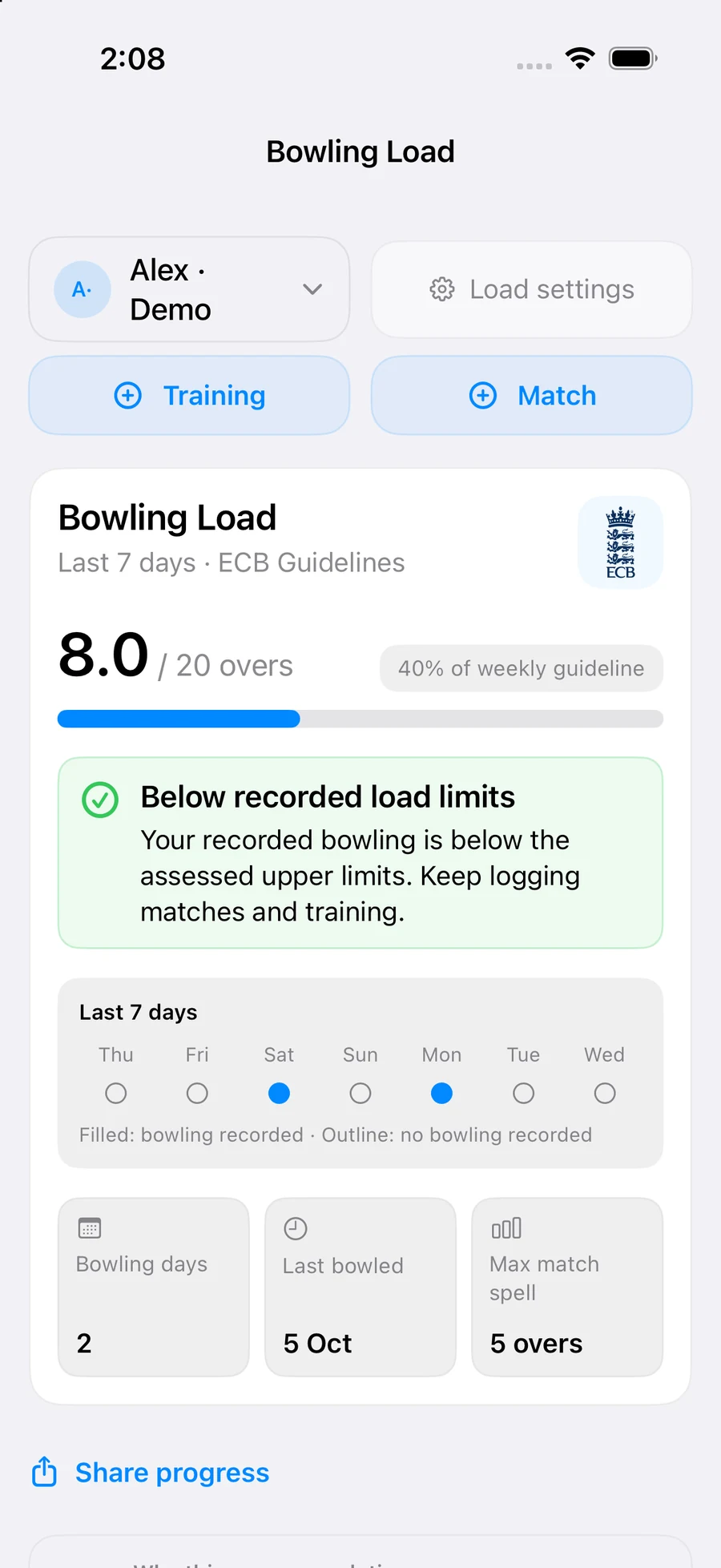
Premium Parent Mode · Bowling Load
The bowling between the scorecards matters too.
Keep a tracked player’s training and match bowling in one place. Add a training load, record match bowling, or save a scored bowling spell to Bowling Load.
Review the recent work
See recorded overs, bowling days and training or match history. Longer history ranges help you revisit the record; current guideline and rest context use recent bowling.
Keep recovery in the conversation
Review load and rest guidance using the player’s settings and selected ECB or Cricket Australia source. These sources use different age bands and workload measures; follow the applicable guidance and any individual professional advice.
Bowling Load is a Premium feature in Parent Mode. It sits alongside your observations without adding those notes to the player’s performance record. Guidance is general information, not medical advice or a diagnosis.
Read the sources used in the app: Cricket Australia junior pace-bowling guidelines · ECB recreational cricket guidelines (PDF).
Live Match → Saved match review
Score the moment.
Review the innings or spell.
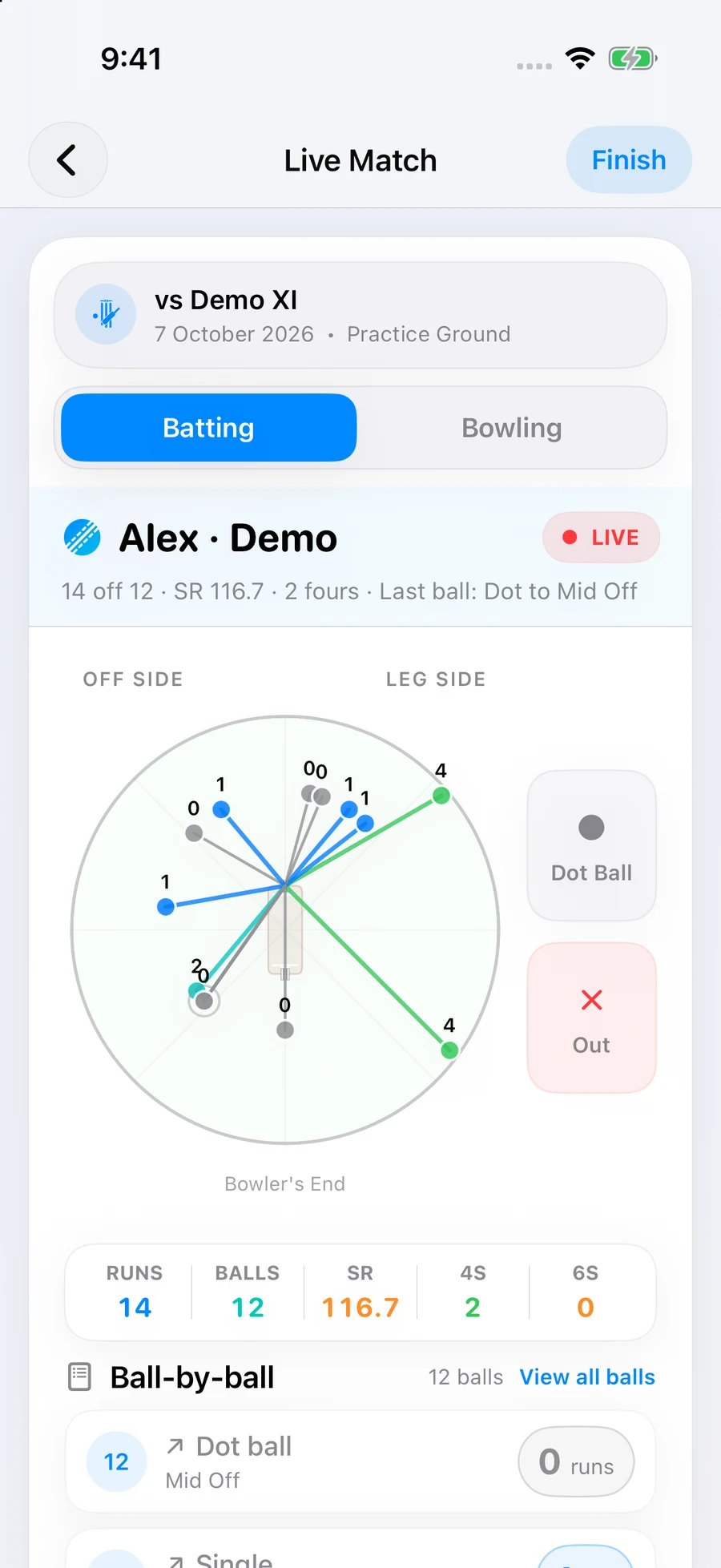
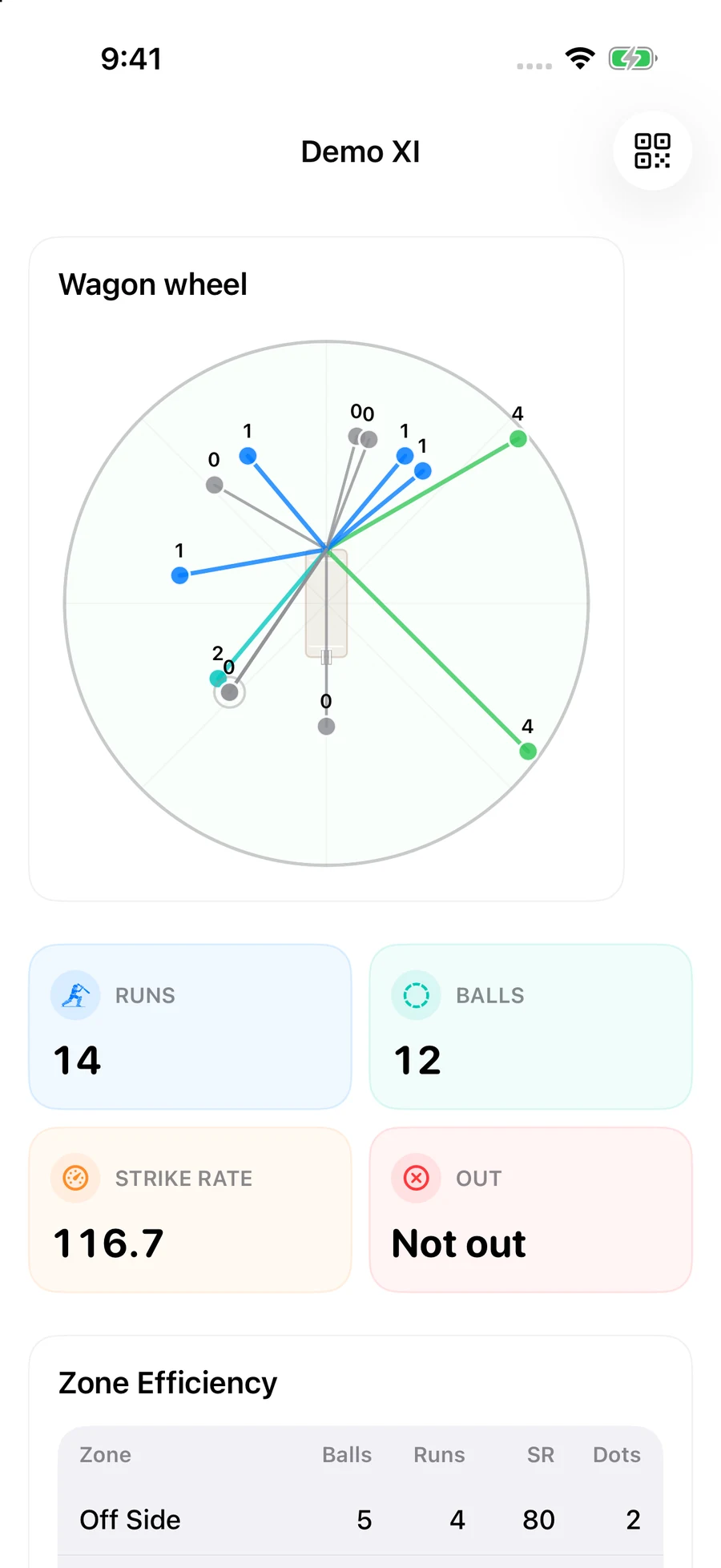
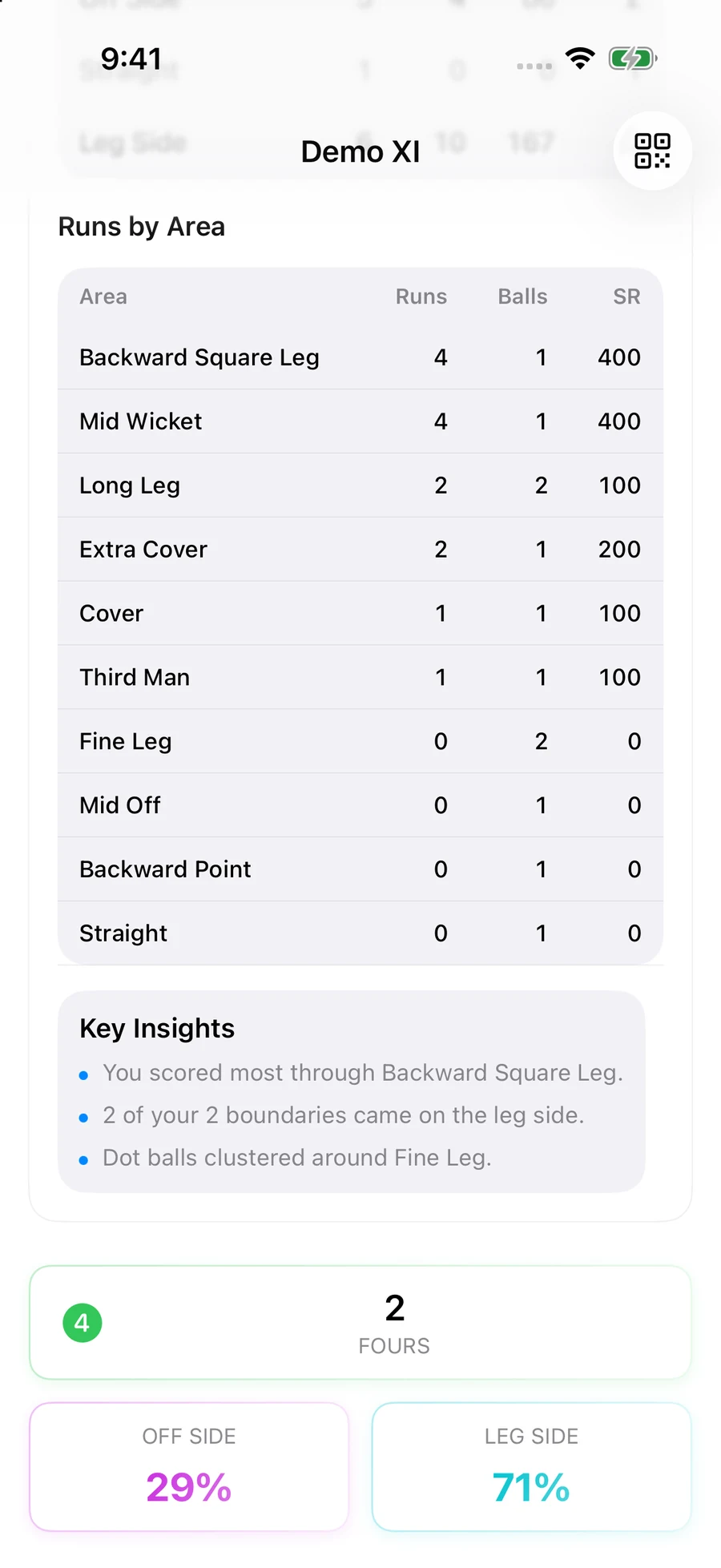
Follow an individual player’s batting innings or bowling spell as it happens. Review a finished batting innings through its wagon wheel and scoring patterns, or a completed bowling spell through its figures, pitch map and line-and-length breakdown.
Batting innings Live scoring → finished innings review
Bowling spells Live scoring → finished spell review
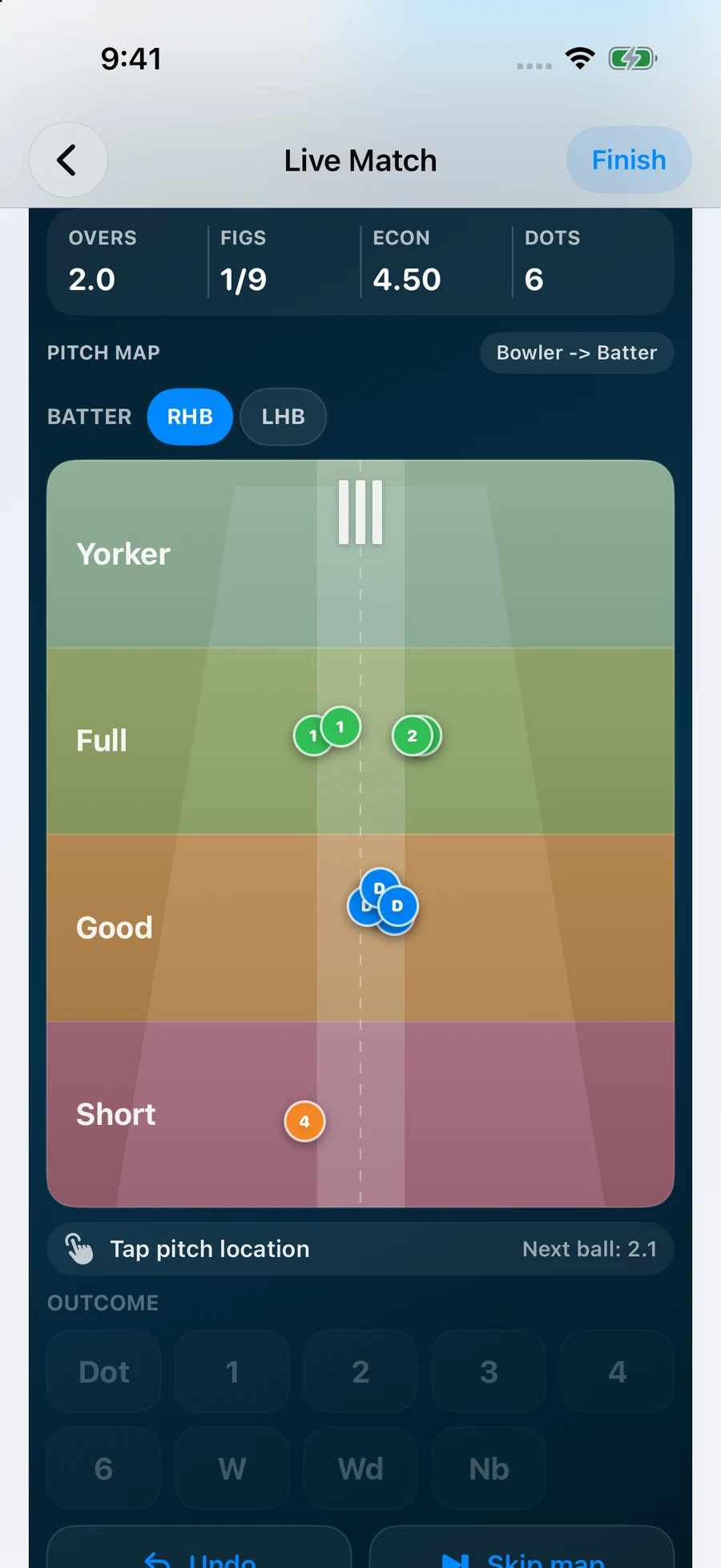
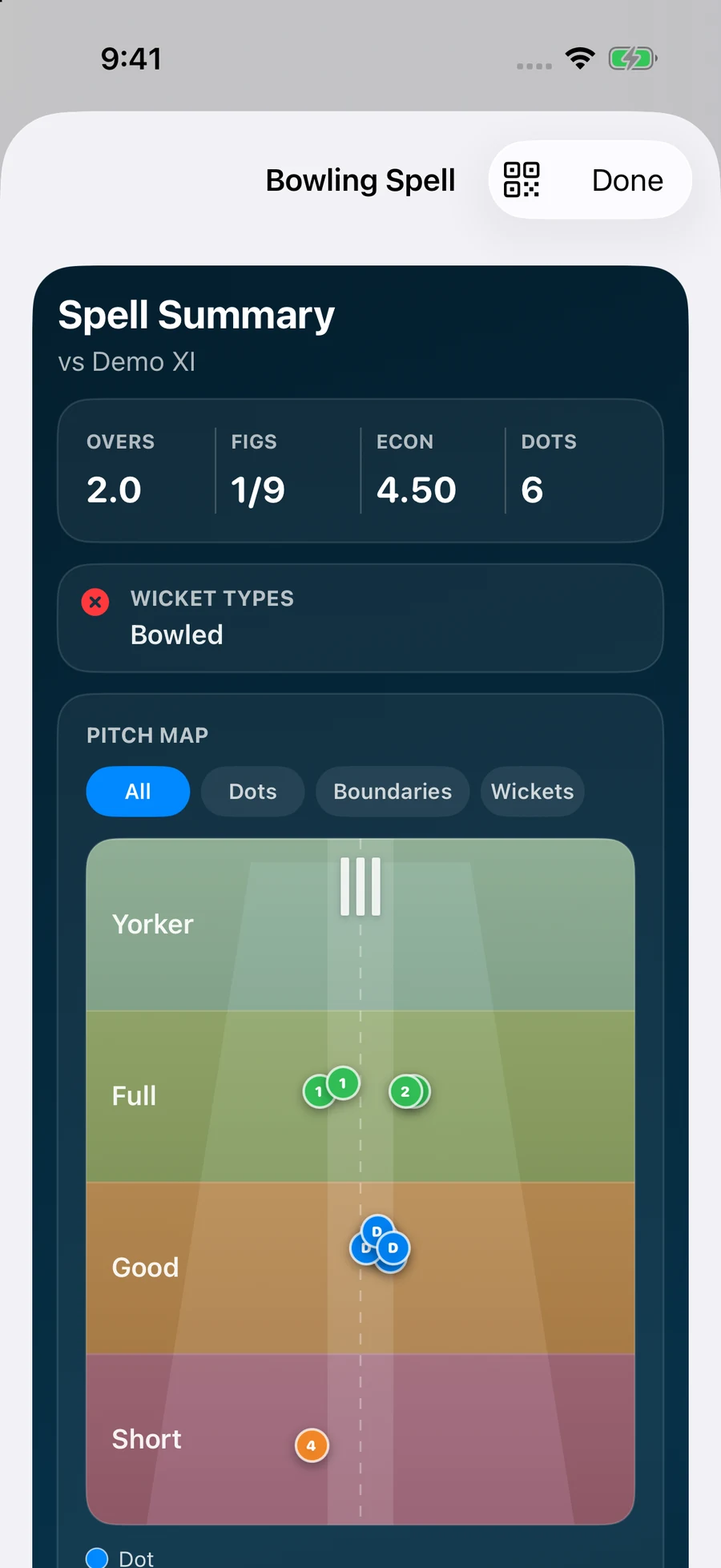
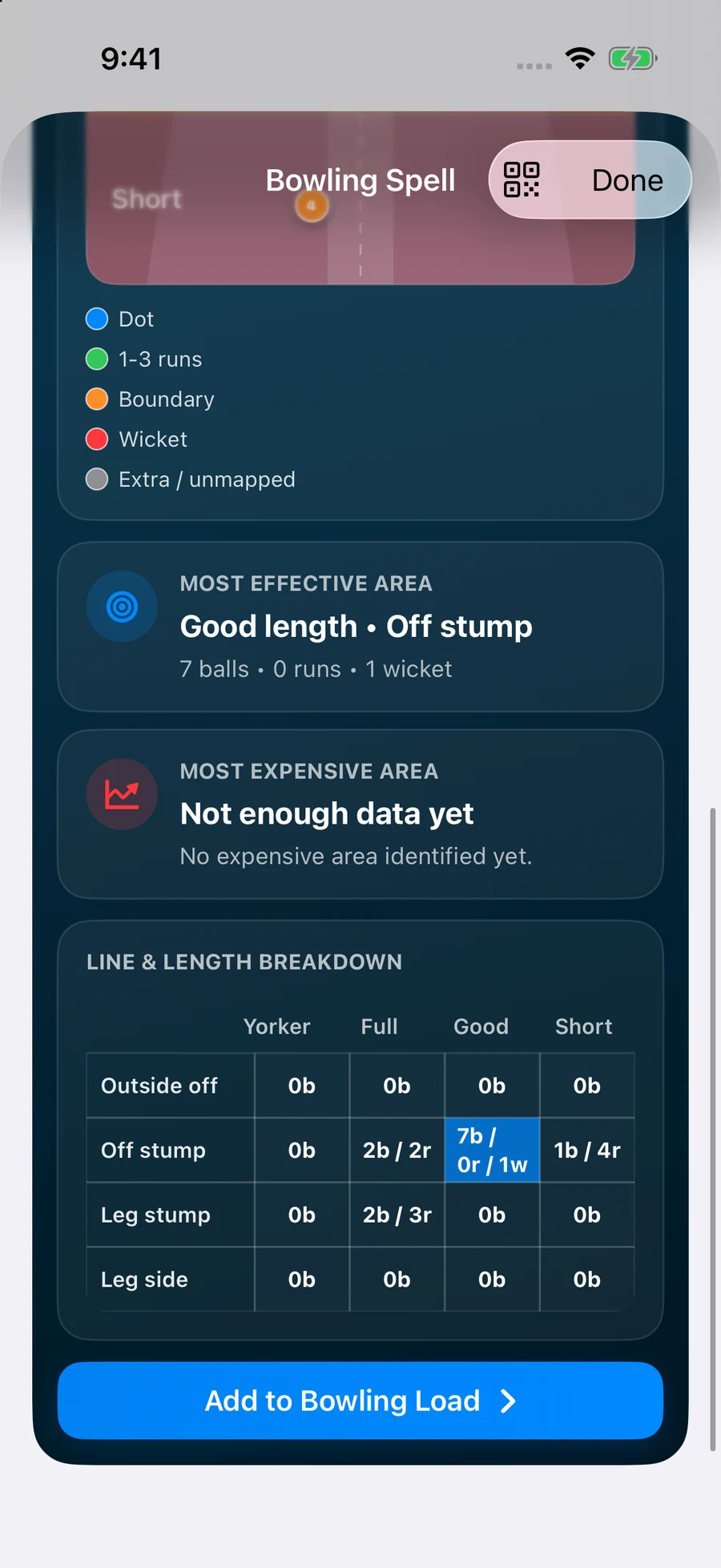
Current app screens using synthetic batting and bowling demos. Both finished reviews are calculated directly from the recorded deliveries. Premium Parent Mode can also add a scored bowling spell to Bowling Load.
Notice. Remember. Reflect.
The moments beyond the scorecard.
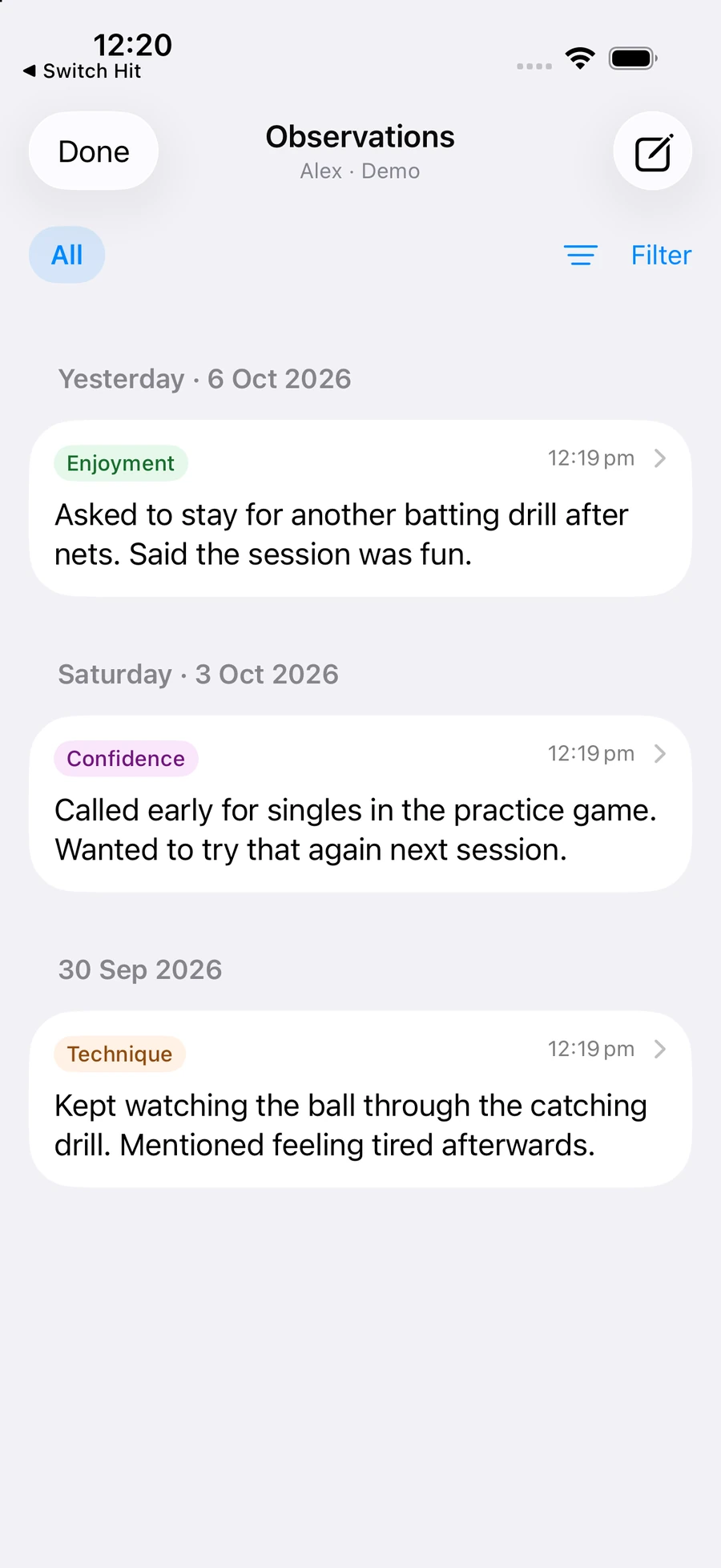
“Asked to stay for another drill.” “Called early for singles.” Add a short observation, choose optional categories such as confidence or enjoyment, and link it to a match when useful. You can edit your notes and filter the history later.
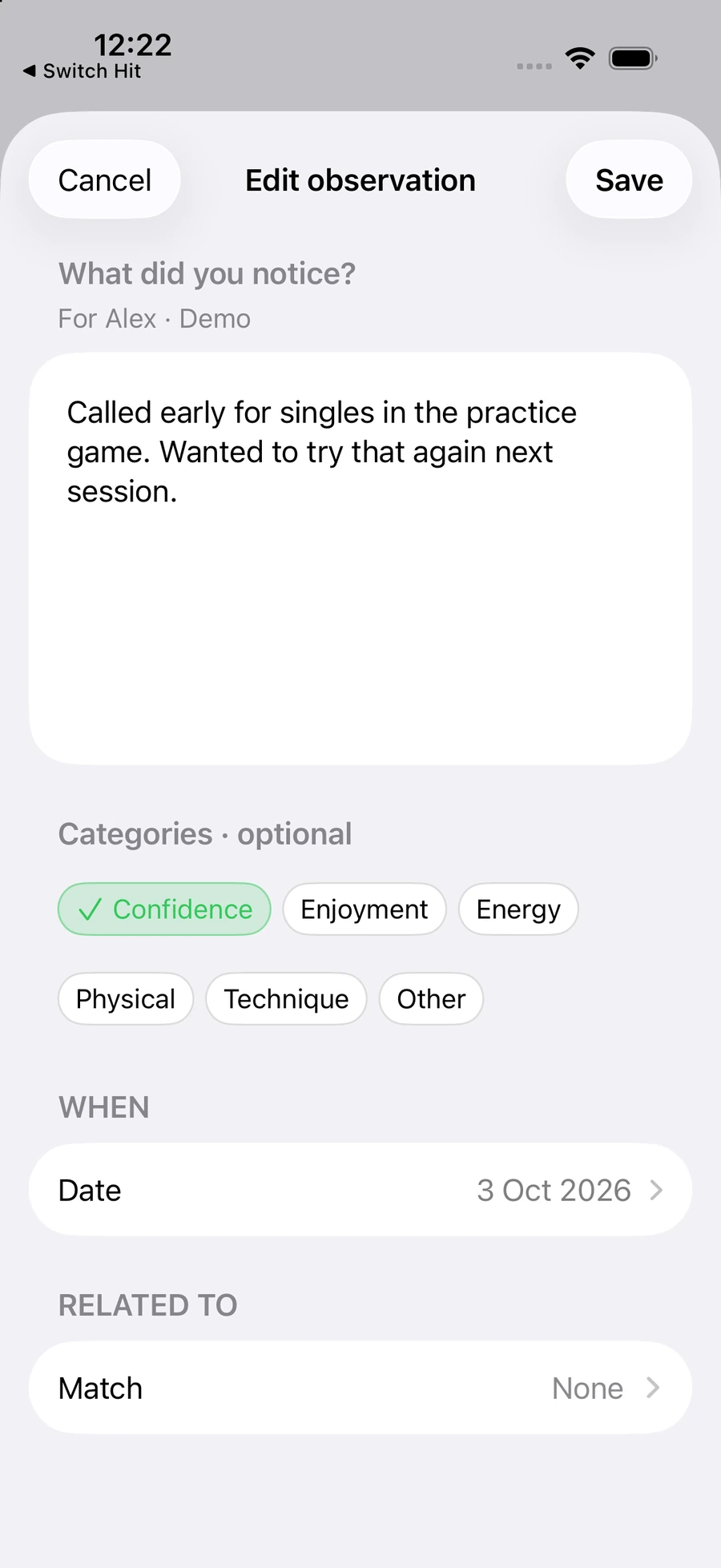
Actual app screens with synthetic demo data. Observations describe what you noticed; they do not measure or prove a change in performance.
Your perspective, kept separate
Support their cricket without rewriting their record.
Parent Mode is optional. Parent observations are stored separately from player diary entries and performance records. They are not added to player AI Coach reports or automatically shared with a team.
You can review your notes yourself at any time. Observation insights and note-writing assistance require supported iOS 27 devices with Apple Intelligence available. Insight reviews use Apple’s Private Cloud Compute when available, and only run when requested. Availability and Apple usage limits apply.
Notes may sync through your private iCloud store, and indexed observations may appear in system search on your device. Read the privacy policy.
Bowling Load & Observations
A clearer record for parents, players, and coaches.
Keep a practical record of the cricket and the moments around it. Review the bowling load, score the game and keep your own observations alongside the record.